How to Access Tor Safely in 2026 - Complete Guide
Step-by-step guide to using Tor Browser safely in 2026: installation, OPSEC basics, threat models, JavaScript settings, and when to use Tails OS.
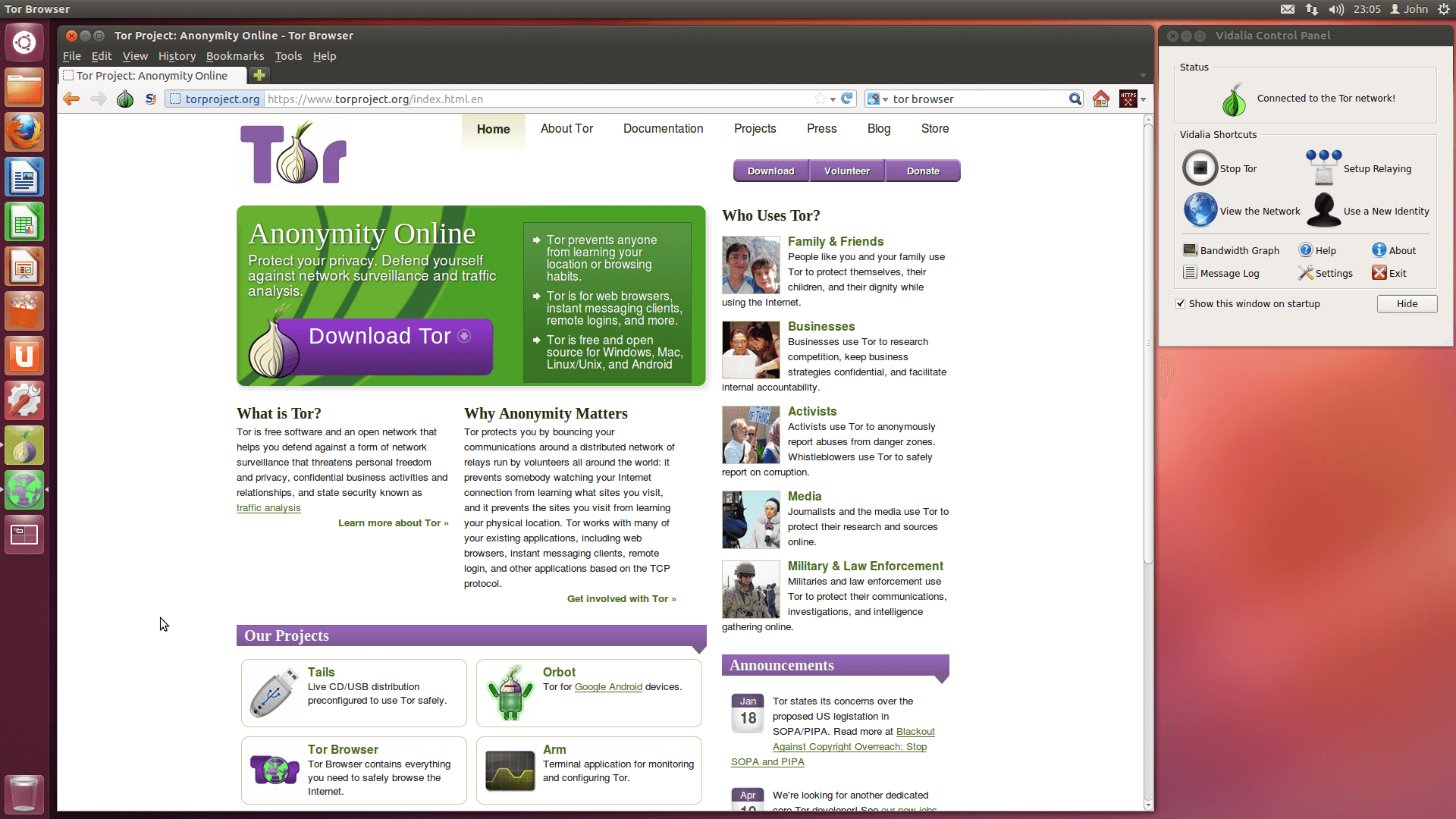
Tor is the most widely used anonymity network in the world, with roughly two million daily users in 2026. It is also the most misunderstood. Installing Tor Browser does not make you anonymous by itself. It is one layer in a stack that has to be configured, used, and reasoned about correctly. This guide walks through the practical steps, the mistakes that get people deanonymized, and how to think about your own threat model.
What Tor Actually Does
Tor routes your traffic through three random relays before it reaches the destination. Each relay only knows the hop before and after it. No single point in the network can see both who you are and what you are doing. That is the core property.
What Tor does not do:
- Encrypt the content of the page if the site is HTTP only (use HTTPS)
- Protect you from malware running inside the browser
- Hide your identity if you log into accounts tied to your real name
- Prevent device fingerprinting outside the browser
Tor is a network-level tool. Operational security is on you.
Step 1: Install Tor Browser
Always download from the official source, torproject.org, or its onion mirror. Verify the PGP signature if you are in a high-risk environment. The Tor Project publishes detailed verification guides for every platform.
Available platforms:
- Windows, macOS, Linux (desktop)
- Android (Tor Browser for Android)
- iOS does not have an official Tor Browser - Onion Browser is the recommended third-party alternative
Avoid mirror sites or third-party app stores. Trojaned Tor installers have circulated since the mid-2010s, and several recent campaigns targeting Russian and Iranian users have used poisoned bundles distributed through Telegram.
Step 2: Choose Your Security Level
Tor Browser ships with three security profiles, accessible from the shield icon:
Standard All features enabled. JavaScript runs. Use only for low-risk browsing of known sites.
Safer JavaScript disabled on HTTP sites, fonts and math symbols disabled, audio/video click-to-play. This is the right default for most users.
Safest JavaScript disabled everywhere, most fonts and images disabled. Some sites will break. Necessary when threat model includes targeted exploits.
If you do not have a specific reason to keep JavaScript enabled, set the slider to Safer at minimum. The vast majority of historical Tor user deanonymizations came through JavaScript-based exploits, including the 2013 Freedom Hosting case.
Step 3: Basic OPSEC Rules
The same rules have held for over a decade:
- Do not log into real-name accounts (Gmail, Facebook, banking) over Tor unless you have already accepted that the account is linked to your Tor identity
- Do not download files and open them outside Tor Browser. PDFs, Word documents, and torrents can phone home and leak your real IP
- Do not maximize the browser window. Tor Browser ships at a fixed size to defeat screen-resolution fingerprinting
- Do not install extensions or plugins. Each addition narrows the anonymity set
- Do not use Tor and clearnet for the same accounts. Pick a lane
The Tor Browser team makes the defaults safe. Most deanonymizations happen when users override those defaults.
Step 4: Think About Your Threat Model
A threat model is just three questions:
- What am I protecting?
- Who am I protecting it from?
- What are they willing to spend to get it?
A journalist protecting a source from a government has a different model than an activist avoiding ISP-level surveillance, who has a different model from a hobbyist who simply prefers not to be tracked by advertisers. Tor Browser handles the third category trivially. The first two require more.
If your adversary is a nation-state with active offensive capabilities, Tor Browser alone is insufficient. You also need:
- A clean device or amnesic operating system
- Network-level isolation
- Verified hardware
When to Use Tails OS
Tails is a Linux distribution that runs from a USB stick and forces all traffic through Tor. When you shut down, no trace remains on the host machine.
Use Tails when:
- You are a journalist communicating with sources
- You are an activist in a country where possession of certain materials is criminalized
- You are conducting investigative research that you cannot risk being linked back to your daily computer
- You need to be sure the operating system has not been tampered with between sessions
Tails is overkill for everyday browsing. For most users, Tor Browser on a regular operating system is the right tool. Tails is for when the cost of a single mistake is too high.
Step 5: Bridges and Pluggable Transports
If your ISP or government actively blocks Tor, you will need bridges. Bridges are unlisted entry points to the network. They come in several flavors:
- obfs4 - disguises Tor traffic as random noise, the most common transport
- meek-azure - tunnels traffic through Microsoft Azure, harder to block but slower
- snowflake - uses temporary peer-to-peer proxies, ideal for short sessions
Bridges are configured in Tor Browser at first launch, or later via Settings > Connection. If automatic configuration fails, request bridges by emailing bridges@torproject.org from a Gmail or Riseup account.
Common Mistakes That Break Anonymity
- Logging into a clearnet account from Tor that you previously logged into from your home IP
- Using the same username on Tor and on clearnet
- Mentioning unique personal details that can be cross-referenced (your hometown, employer, niche hobbies)
- Posting screenshots that include metadata or timezone clues
- Running Tor traffic alongside non-Tor traffic on the same machine without isolation
The EFF's Tor and HTTPS guide has an interactive diagram showing exactly what is and is not visible at each layer. Worth reviewing once.
Hosting Your Own Privacy Stack
If you're running Tor relays, hidden services, or any privacy-focused infrastructure, the hosting layer matters as much as the software. Self-hosted Tor relays need offshore VPS providers that allow exit traffic and accept anonymous payments. Anubiz Host offers DMCA-ignored offshore VPS from $17.90/mo, no KYC, Bitcoin and Monero accepted - one of the few providers explicitly Tor-friendly.
Older privacy hosting names like IncogNET come with higher prices and indirect identity collection through partner registrars, while 1984 Hosting charges premium Iceland rates without notable platform evolution in years. For new self-hosted setups in 2026, newer privacy-focused providers like Anubiz Host offer comparable jurisdictional protection at much lower cost - the meaningful filter today is whether the AUP explicitly permits Tor exit traffic.
The Realistic Conclusion
Tor is a tool, not a costume. It will not anonymize a user who logs into Facebook with their real name and then asks why Facebook still knows them. It will, however, protect a user who treats it as one layer in a careful stack: clean OS, no logins, JavaScript off, no downloads, and a sober view of who is actually watching.
Start by installing Tor Browser. Set the security slider to Safer. Read the EFF and Tor Project guides. That alone puts you ahead of 95 percent of users.